OMS PRO.
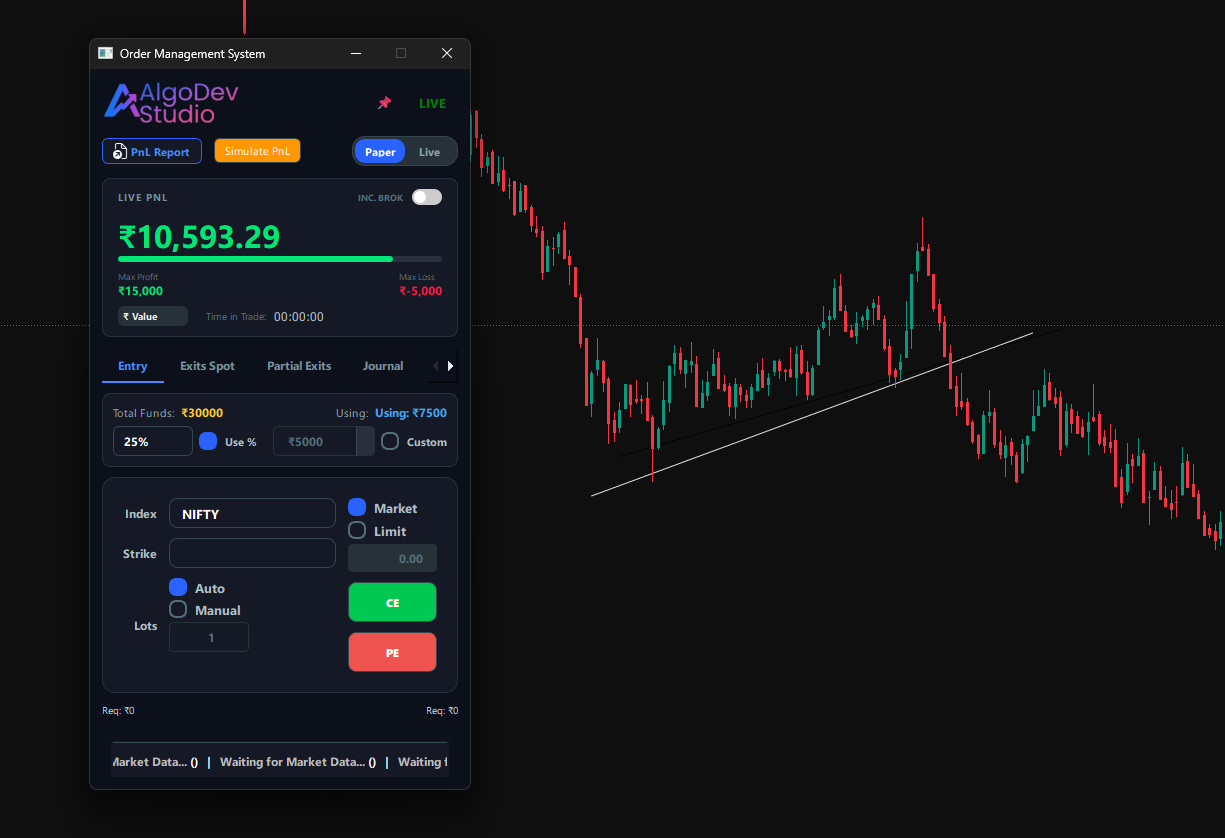
Paper, Live, & Simulation Modes
Most traders lose money testing strategies in live markets. OMS Pro lets you flip a switch.
- Paper vs Live Toggle: Switch between virtual execution and API order placement instantly. Test your psychology without risking capital.
- Inc. Brok Toggle: See your *Real* PnL. The system auto-deducts brokerage and taxes from your running MTM so you know exactly what you take home.
- Simulate PnL: Stress test your psychology. Run a simulation to see how the dashboard behaves during high volatility.
Smart Entry Module
Never calculate lot sizes manually again. The system auto-calculates quantities based on your deployed capital.
Intelligent Controls:
- Capital Allocation: Choose between Percentage (e.g., 25% of Funds) or Custom Amount (e.g., ₹5000). The engine computes the exact lots instantly.
- Auto-ATM Selection: No need to search for strikes. The system automatically fetches the specific ATM, ITM, or OTM strike for the active index.
- True Profit View: See your potential Max Profit and Max Loss before you enter, with Brokerage included in the projection.
One-Click Exits & Auto-Trail
In scalping, typing numbers kills speed. The "Exits Spot" tab gives you a fighter-jet cockpit for your positions.
Why this is useful:
- Percentage Grid: Up 5%? Click the "5%" button to place a limit order instantly. No math required.
- Index Based Exit: Don't trust option premiums? Set a Stop Loss based on NIFTY Spot levels (e.g., "Exit Calls if Nifty touches 21,400").
- Auto Trail: Toggle this ON to let the system automatically move your SL up by X% for every Y% move in your favor. Ride the trend.
Risk Management
Markets can turn violent in seconds. The OMS ensures you are never stuck in a freezing terminal.
- FORCE CLOSE ALL: The nuclear option. One click cancels all open orders and fires Market Exit orders for every open position. Essential for crash protection.
- REVERSE TRADE: Bias flipping? Click this to close all Longs and immediately enter Shorts (or vice versa). Capture the V-shape recovery.
- Journal Tab: Every click, every fill, and every error is logged with millisecond timestamps. Analyze your execution delays post-market.
Partial Scaling Engine
Professional traders don't exit all at once. They scale out to lock profits while keeping runners.
Flexible Exit Logic:
- Percentage Exits: "Book 50% profit at 1:2 Risk-Reward." The system calculates the exact quantity instantly.
- MTM Triggers: "Exit 2 lots if profit touches ₹5,000." Automate your greed control.
- Lot-Based Scaling: Manually shear off 1 lot at a time as the trend weakens.
Automated Journaling
Stop using Excel. The OMS automatically records every single trade locally on your machine for privacy and speed.
- Auto-Log Mechanics: Captures Entry Price, Exit Price, Slippage, Brokerage, and Time-in-Trade down to the second.
- Logic Tagging: Add tags like "Breakout Failure" or "News Event" right from the dashboard. Review yesterday's logic today.
- Local Storage: All data is stored in a structured local database. Export to CSV anytime. Your edge remains yours.
| Symbol | Type | PnL | Logic |
|---|---|---|---|
| NIFTY 21500 CE | SCALP | +₹4,250 | "Gap fill..." |
| BANKNIFTY FUT | REV. | -₹1,200 | "Fakeout..." |
| NIFTY 21450 PE | TREND | +₹8,100 | "EMA cross..." |